
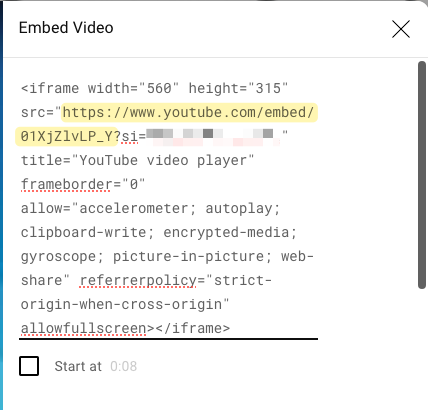
By default, YouTube does not allow using the page URL directly on another page. Instead, the embed URL must be used, which follows the format: http://www.youtube.com/embed/XXXXX .
Retrieve the Embed URL of a YouTube Video
-
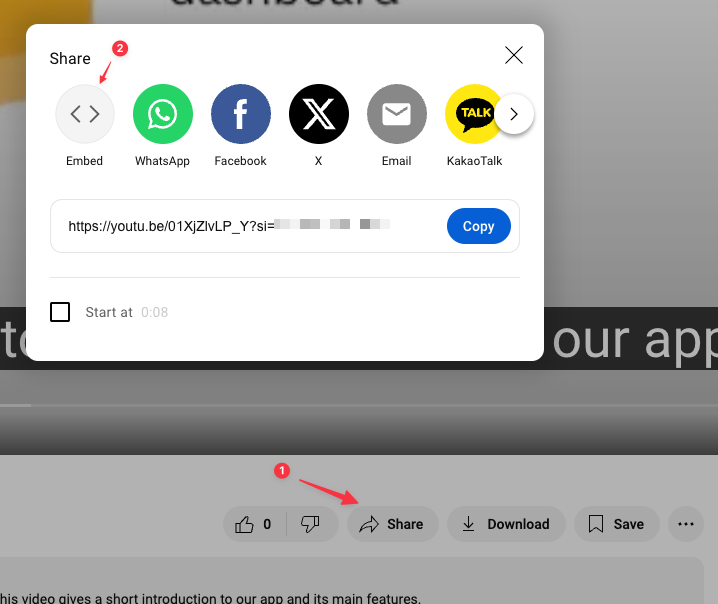
Open the Share dialog under the video and click the Embed button.
-
Copy the URL from the iframe code provided.
Include a web page in your dashboard
-
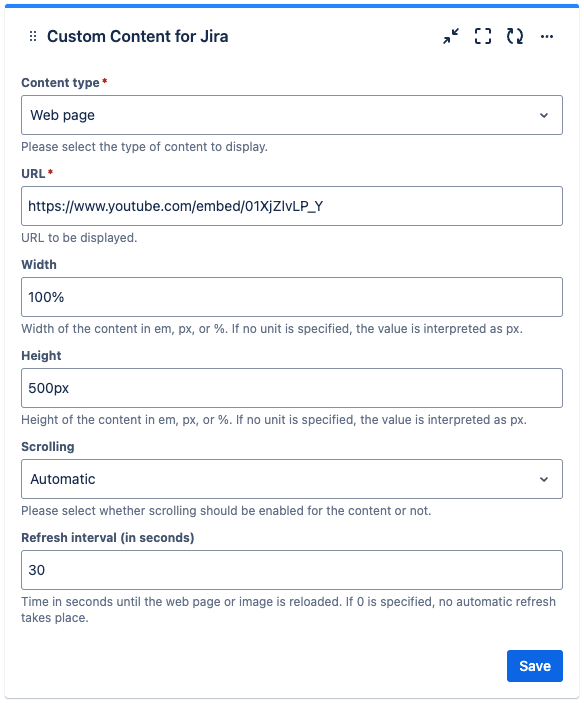
Create a new Custom Content gadget or edit an existing Custom Content gadget in your dashboard. Choose “Web page” as content type and insert the copied embed url.
-
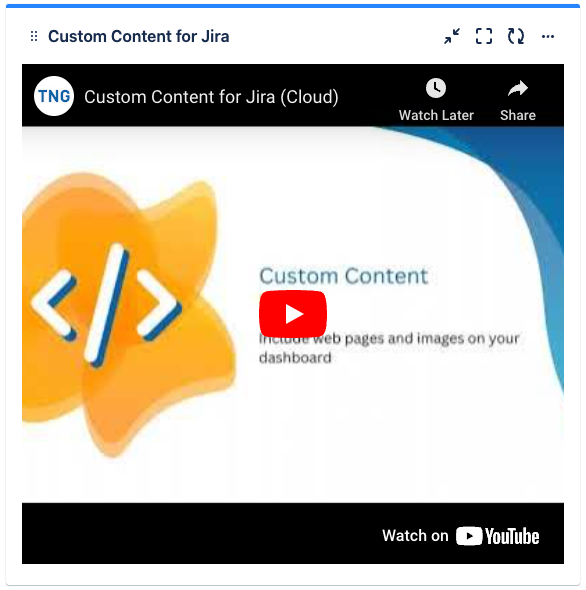
Click “Save” to publish the Custom Content gadget.
-
Congratulations! 🎉 You have successfully included a YouTube video