
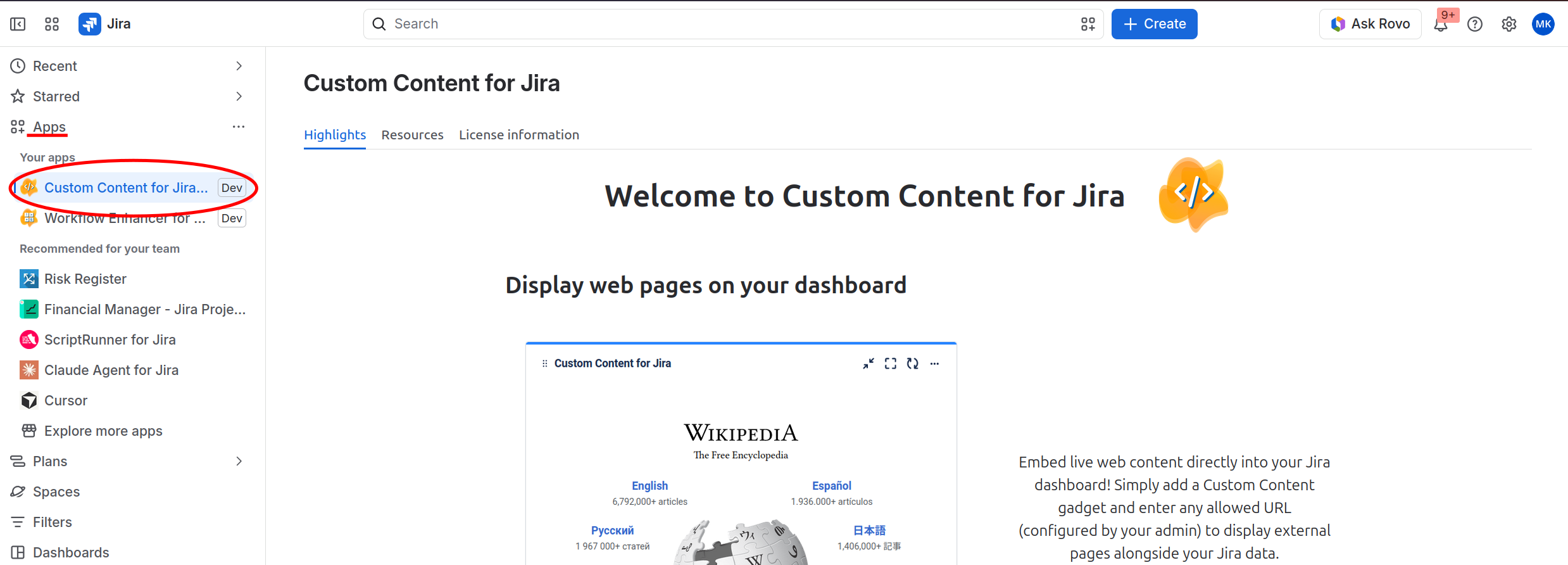
The cloud version of Custom Content for Jira provides an app page giving easy access to the most important entry points for using and administering the app. The App Hub can be reached via Apps → Custom Content for Jira in the left navigation bar of Jira.
The App Hub contains three tabs:
-
The Highlights tab gives a short overview of the core features of Custom Content for Jira. It explains how the app can turn a Jira dashboard into an information hub by embedding external web pages, images, YouTube videos, and Confluence pages. From this tab, users can also create a demo dashboard with example gadgets to try the app quickly.
-
The Resources tab provides quick access to useful resources when dealing with open questions regarding Custom Content for Jira.
-
The License information tab provides an overview of the software licenses of the third party libraries used within Custom Content for Jira.