
Click on Personal settings to access your language settings for the current survey. Then, select the desired language from the drop-down menu.
Click on Set as my global default to apply the selected language preference to all surveys.
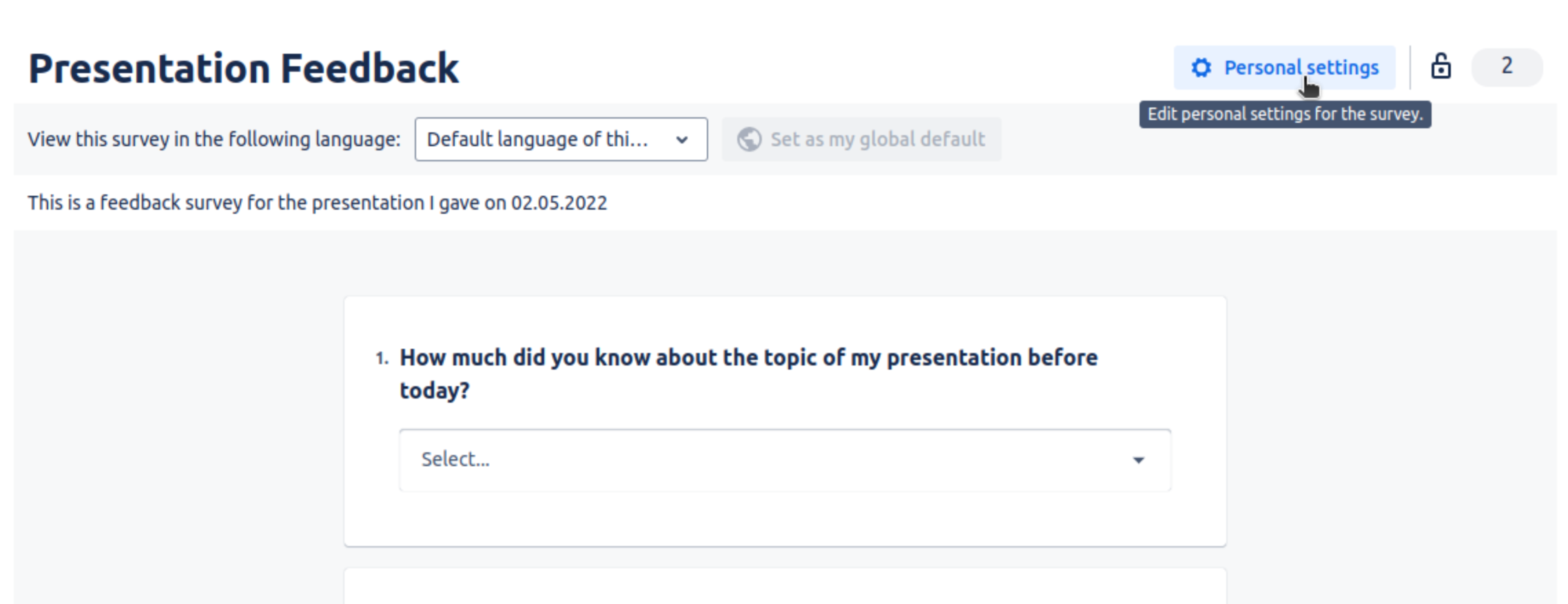
Changing the language will take effect immediately.
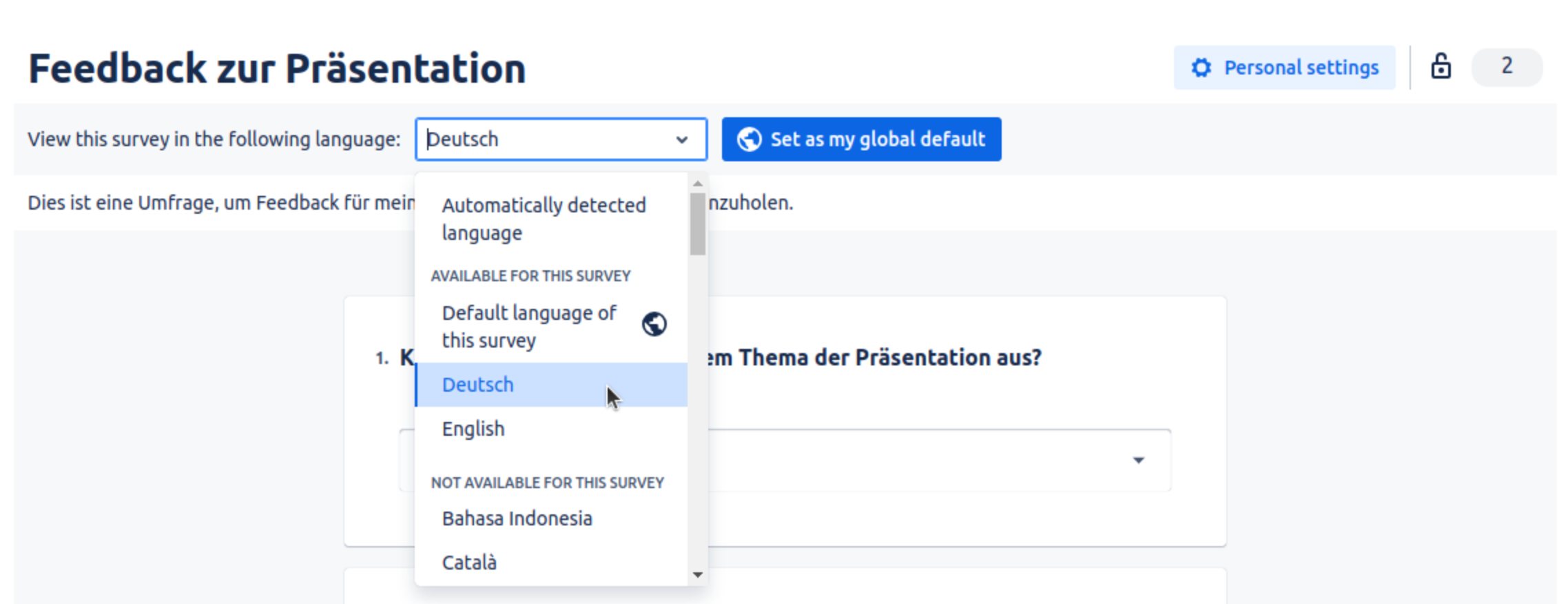
The language selection drop-down options work as follows:
-
"Default language of this survey" uses the default language configured by the survey manager
-
The languages available for the survey are listed under "Available for this survey"
-
"Automatically detected language" selects a language based on your browser settings
-
If a language is listed under “Not available for this survey“, the survey manager has not set up a translation for this language.
If you select a language that is not available for this survey, the survey will fall back to the default language configured by the survey manager.