
Feature summary
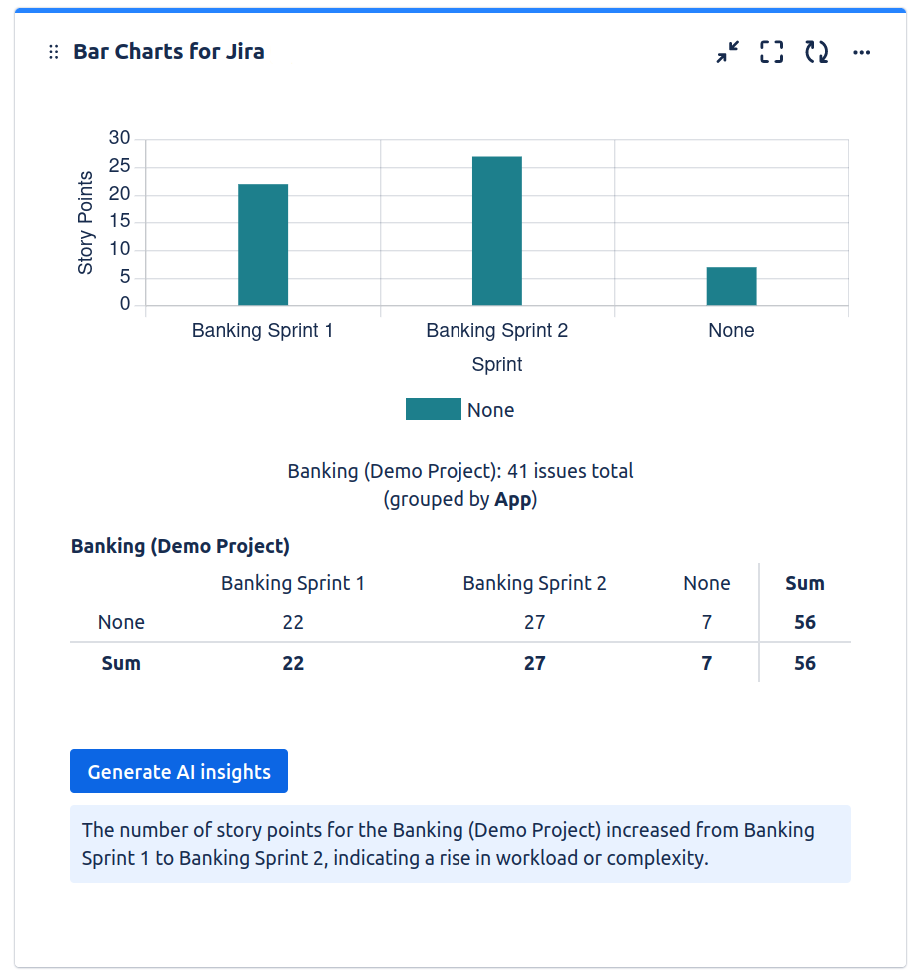
Use AI to generate data insights for the data displayed in your bar chart
How to use
-
AI features need to be enabled and an OpenAI API key for GPT-4 needs to be provided first by an admin
-
Enable the AI insights field in the configuration of your bar chart
-
Below your bar chart, a field will appear. Clicking the button will generate a one-sentence insights from your displayed data
What data is sent
All information displayed on the bar chart is sent to OpenAI. Further information or context of the issues that is not displayed is not sent.