Webfonts for Confluence provides you with the Fonts macro, which allows you to adjust the font of the text inserted in the macro body.
Getting Started
-
Create a new page or edit an existing page to adjust the Font. Click on the “+” icon in the toolbar and select “Other macros”, or use the shortcut
CTRL+Shift+A. -
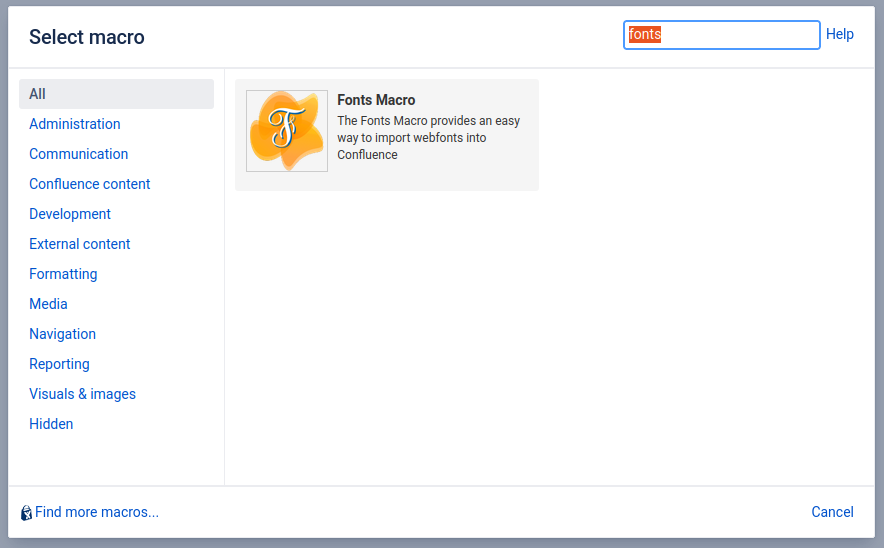
Type “fonts” into the search field and select the Fonts macro to add it to the page.
-
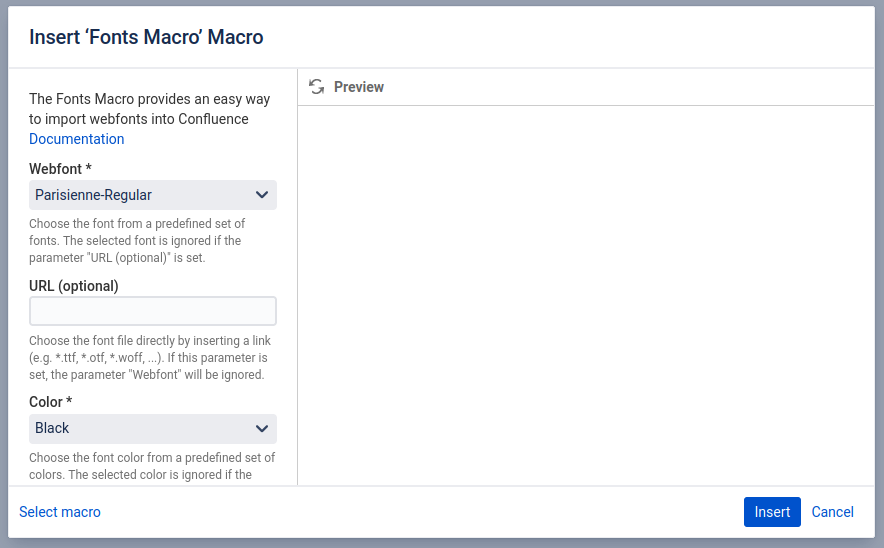
A new dialog box appears allowing you to configure the Fonts Macro. You have to provide a “Webfont“ and a “Color”, and the rest of the configurations are optional. Learn more about optional Fonts macro configurations.
-
Click “Insert” to insert the Fonts macro.
-
Insert some text to the body of the Fonts macro.

-
Save the page.
-
Congratulations! 🎉 You have successfully adjusted your first Font.