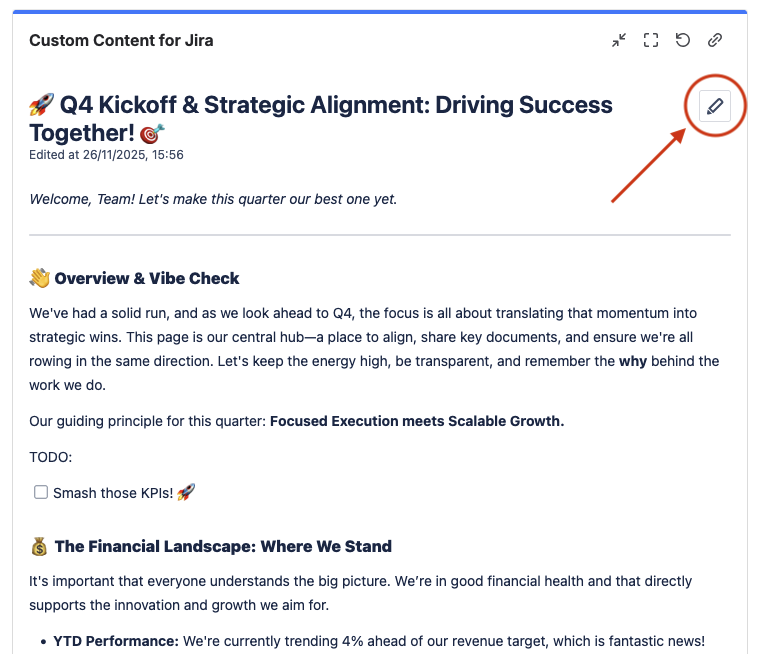
Custom Content can display a Confluence page on your dashboard. The Confluence page must be on the same cloud site as the current Jira app.
-
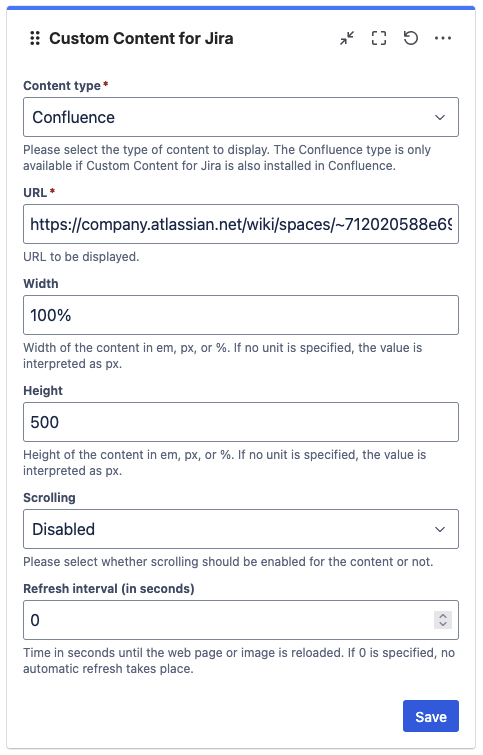
Create a new Custom Content gadget or edit an existing Custom Content gadget in your dashboard. Choose “Confluence” as the content type.
The “Confluence” content type option only appears if Custom Content is connected to Confluence. Connecting to Confluence is optional. If necessary, ask your administrator to connect the app to Confluence by using the cloud site app management interface.
-
Paste the URL of the Confluence page into the URL box.
-
Click “Save” to publish the Custom Content gadget.
-
Congratulations! 🎉 You have successfully included a Confluence page on your dashboard.
You will now be able to see the Confluence page, including a convenient ‘Edit’ button in the top right that links to the edit mode of the Confluence page: