
Edit the page, click on the Multivote macro and click on “Reset” to reset a Multivote.
This will delete all votes of your Multivote.
Instructions
-
Visit a page containing a Multivote macro. Click on “Edit” to go to the edit mode of the page.
-
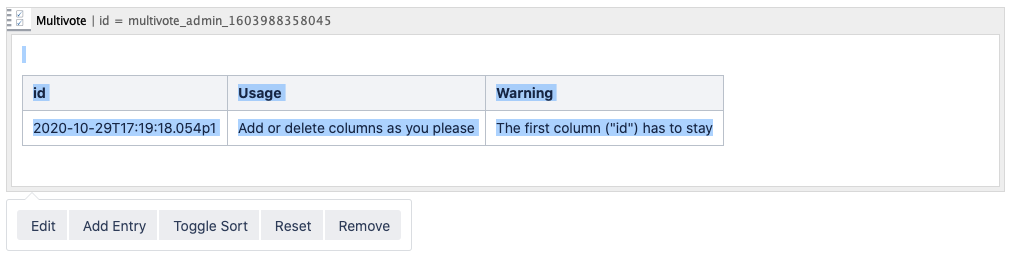
Click on the Multivote macro to open the toolbar.
-
Click on the “Reset” button to reset the Multivote.
-
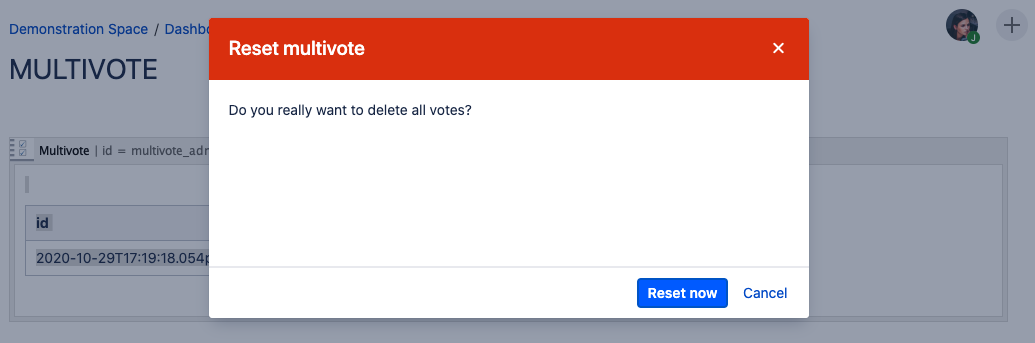
A dialog will appear asking you to confirm the operation. Click on “Reset now” to reset the Multivote.
-
Save the page.
-
Congratulations! 🎉 You have successfully reset your Multivote.