
Delete options
You need edit permissions on the page the Multivote macro is displayed to be able to perform this operation.
-
Open a page containing a Multivote macro.
-
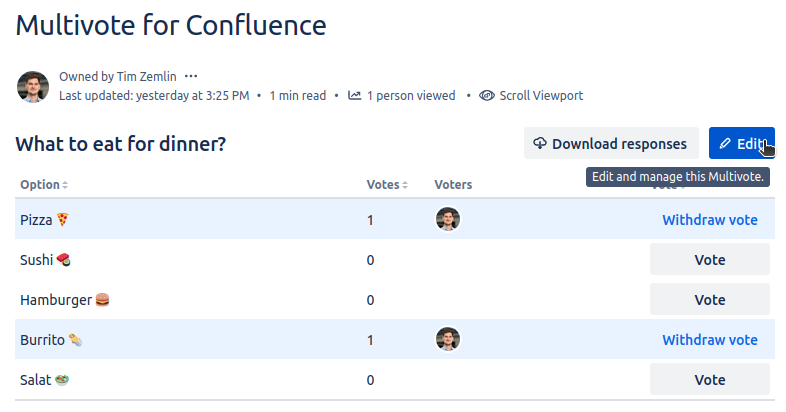
Click the “Edit” button in the top-right corner of the Multivote macro.
-
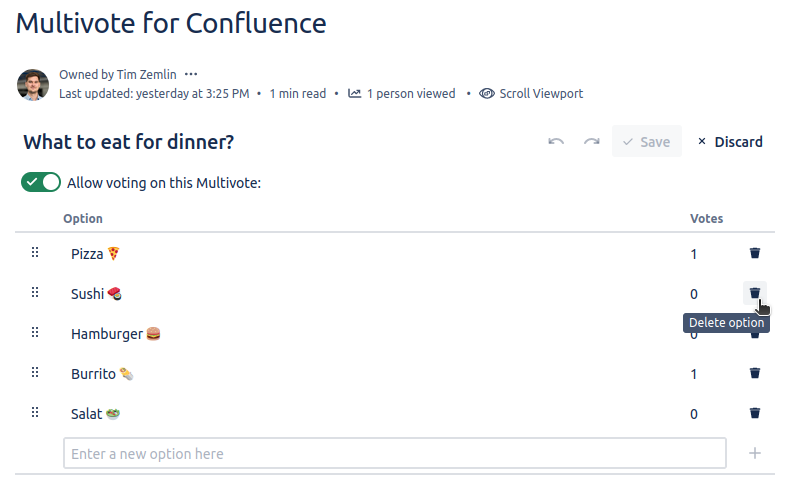
You are now in the edit mode of the Multivote. Next to each option, there is a trash icon allowing you to delete the respective option.
-
Click the trash icon next to an option to delete it from the Multivote.
-
Click the “Save” button in the top-right corner of the Multivote macro.
-
Congratulations! 🎉 You have successfully deleted your first option from a Multivote.