
v7.3 v7.2 v7.1 v7.0 v6.12 v6.11 v6.10 v6.7 v6.6 v6.5 v6.4 v6.3 v6.2 v6.1 v6.0 v5.3 v5.2 v5.0 v4.8 v4.6 v4.5 v4.4 v4.3 v4.0 latest <= v3.4 Cloud Data Center

Exporting the results of a Multivote to CSV

Export a Multivote

  1. Navigate to a page containing a Multivote macro.

  2. Click on the “Download responses” button.
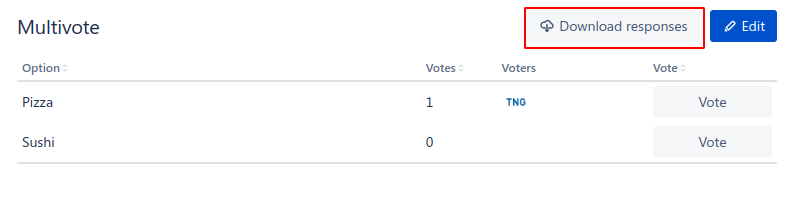
    image-20221216-140855.png
  3. A download of the CSV will automatically start and result in a file of the following format

    "Option";"Votes";"Voters"
    "Pizza";"1";"TNG Technology Consulting GmbH (5de7e8643ab88e0d4a352d10)"
    "Sushi";"0";""
    
  4. Congratulations! 🎉 You have successfully exported the results of a Multivote to CSV.