
Delete options
-
Visit a page containing a Multivote macro. Click on “edit” to go to the edit mode of the page.
-
Delete a row of the table
-
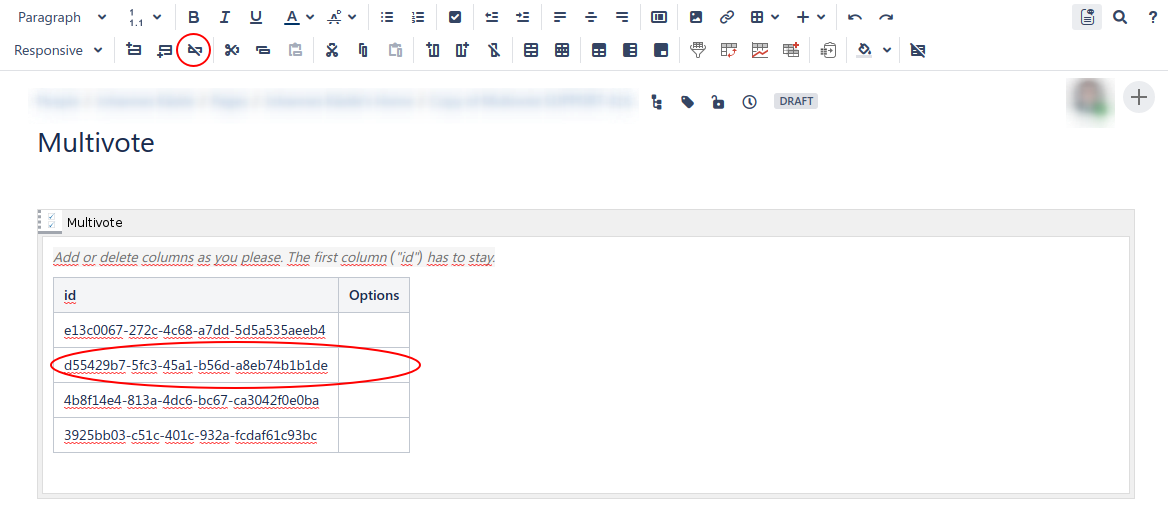
Click into the row you want to delete
-
Click on the “delete row” button.
-
-
Save the page.
-
Congratulations! 🎉 You have successfully removed an entry from your Multivote.