
Navigate to the App tab
To use Rock your Sprint Review to generate a presentation, simply head over to any of your spaces you want to use the app on, and go to the Rock your Sprint Review app tab in the Space view navigation panel.
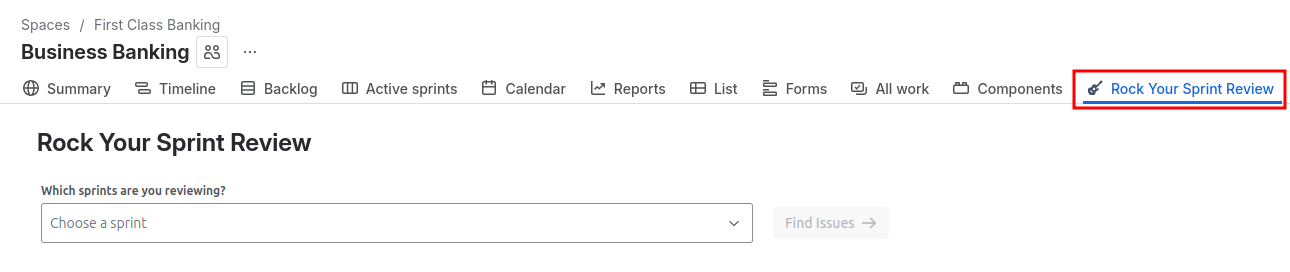
Select the sprint and issues to use
Rock your Sprint Review allows you to generate a summary presentation for any sprints that appear on any boards within the currently selected project.
-
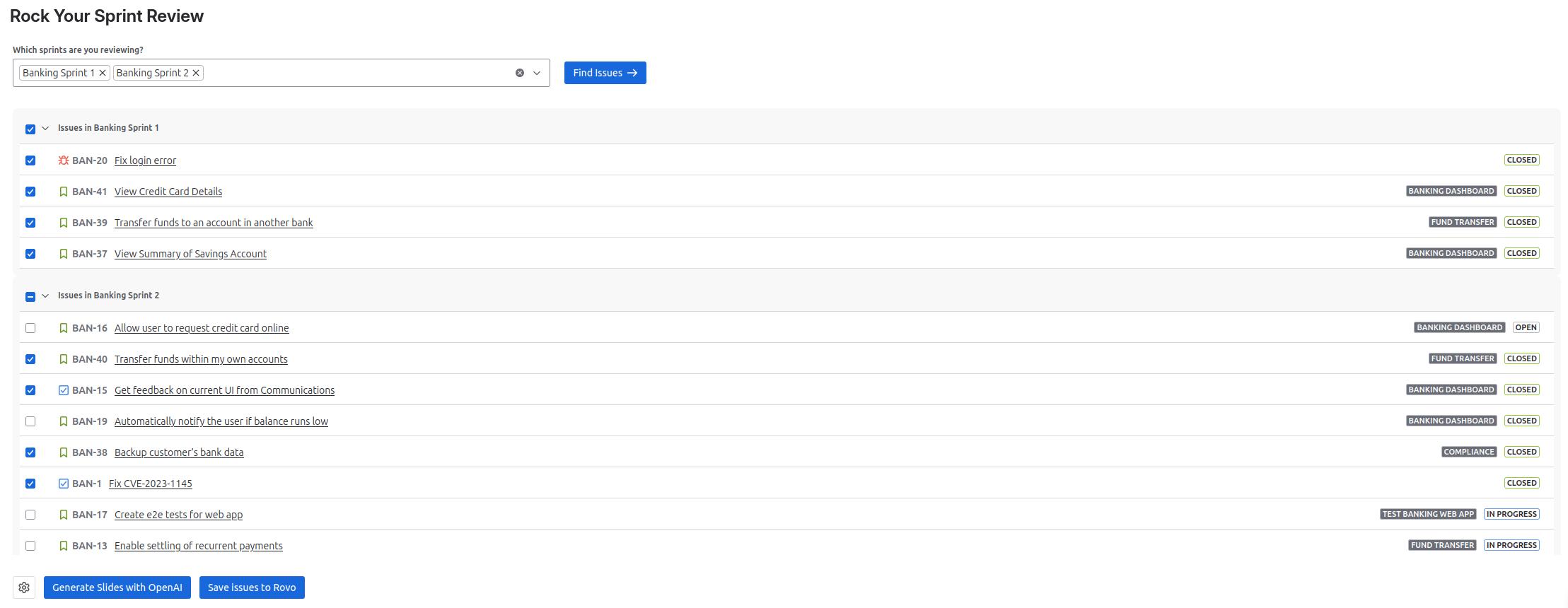
Select the sprint(s) you would like to analyze from the drop down menu, then click Find Issues.
-
After the loading of the issues finished, you can select all issues that you would like to include in the presentation by clicking the checkbox. All closed issues are pre-selected by default.
-
Clicking the checkbox in the header of a sprint box will cycle through the 3 states:
-
all issues selected
-
no issues selected
-
all closed issues selected
-
-
Note that all issues in the sprint(s) will be used to calculate the sprint metrics such as story points completed, but only selected issues will be interpreted by the AI and presented in the slides.
Generate a presentation
You are now ready to generate a Sprint Review Presentation! This can be done either through Atlassian’s built in AI system Rovo, or through an external connection to OpenAI.