
Track the Progress of Macro Migration Across Your Cloud Site
You can only track the progress of your macro migration across pages you can view. Learn how to get view permissions for a page.
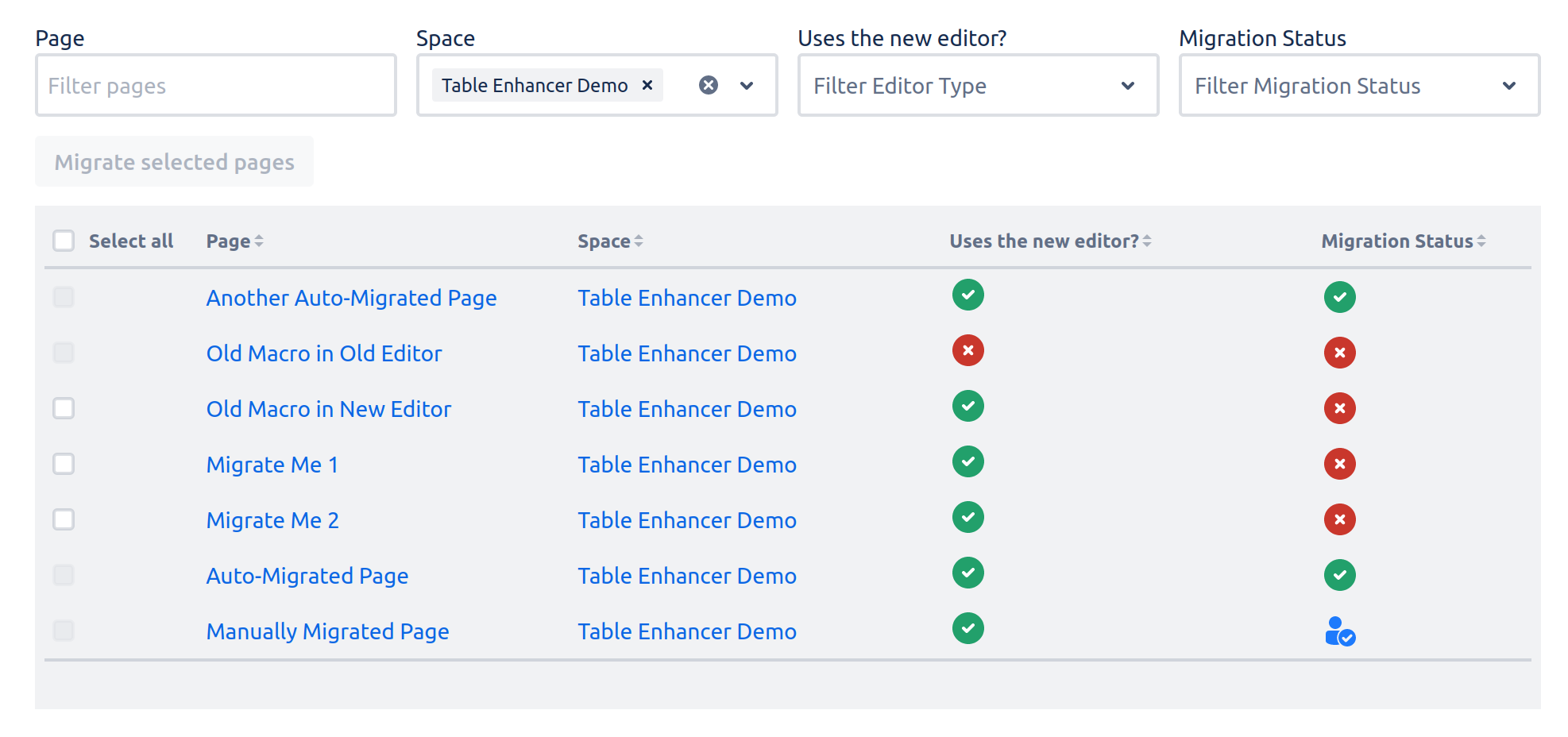
The Macro Migration Assistant contains an overview table that can help you track the progress of your macro migration. This overview table displays a list of all migrated pages you can view on your Cloud site that contain or used to contain legacy Table Enhancer macros. For each listed page the following information is shown:
|
Page Name |
Name of the page |
|
Space Name |
Name of the Confluence space the page belongs to |
|
Editor Status |
Displays whether the page uses the legacy editor or the new editor
|
|
Migration Status |
Displays the migration status of the page
|