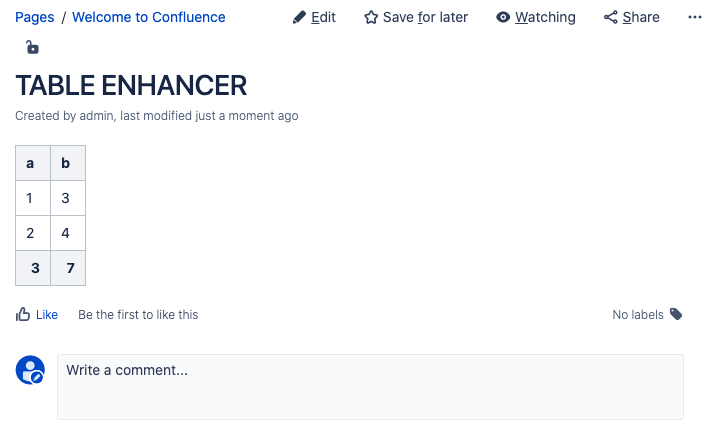
Edit the page, click on the Table Enhancer macro and click on “Edit” to add a total line to a Table.
Instructions
-
Visit a page containing a Table Enhancer macro. Click on “Edit” to go to the edit mode of the page.
-
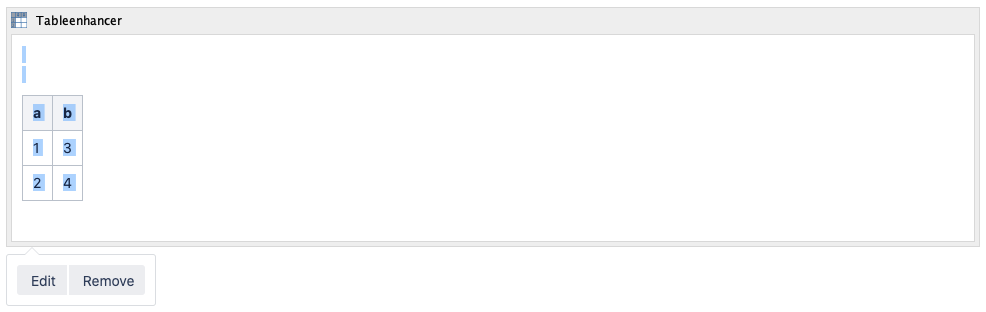
Click on the Table Enhancer macro to open the toolbar.
-
Click on “Edit” button to configure the Table Enhancer macro.
-
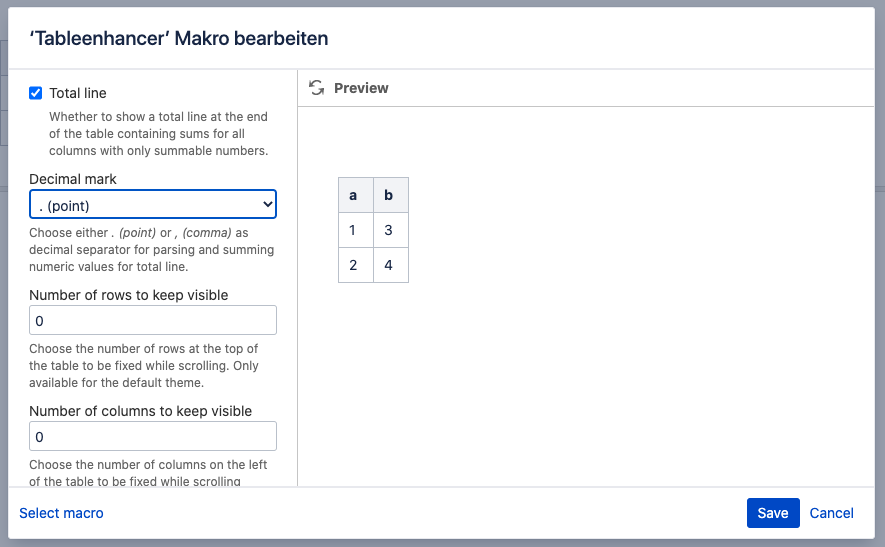
Tick the “Total line” option and provide a value for “Decimal mark”. A detailed list of the configuration options can be found here.
-
Click on “Save” to save your changes.
-
Save the page.
-
Congratulations! 🎉 You have successfully added a total line to a Table.