
The Fonts macro allows for font color specification in two ways: either by selecting a font included with Webfonts for Confluence or by providing a special color as Hex value.
Using Predefined Font Colors
If you would like to use a predefined color, then you can choose a font from the “Color” drop-down in the Fonts macro configuration.
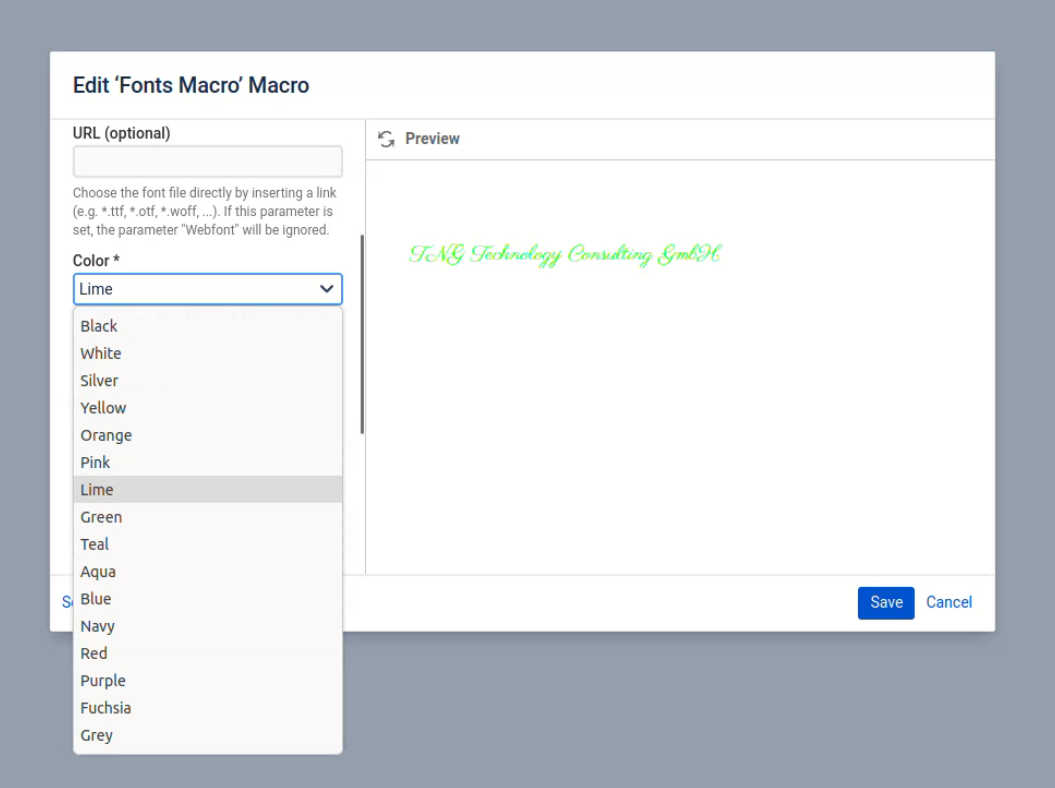
Options:
-
White
-
Silver
-
Yellow
-
Orange
-
Pink
-
Lime
-
Green
-
Teal
-
Aqua
-
Blue
-
Navy
-
Red
-
Purple
-
Fuchsia
-
Grey
-
Black
Specifying a Color via Hex Value
If you would like to use a custom color, then you do so by specifying its Hex value in the “Special color (optional)” textbox in the Fonts macro configuration.
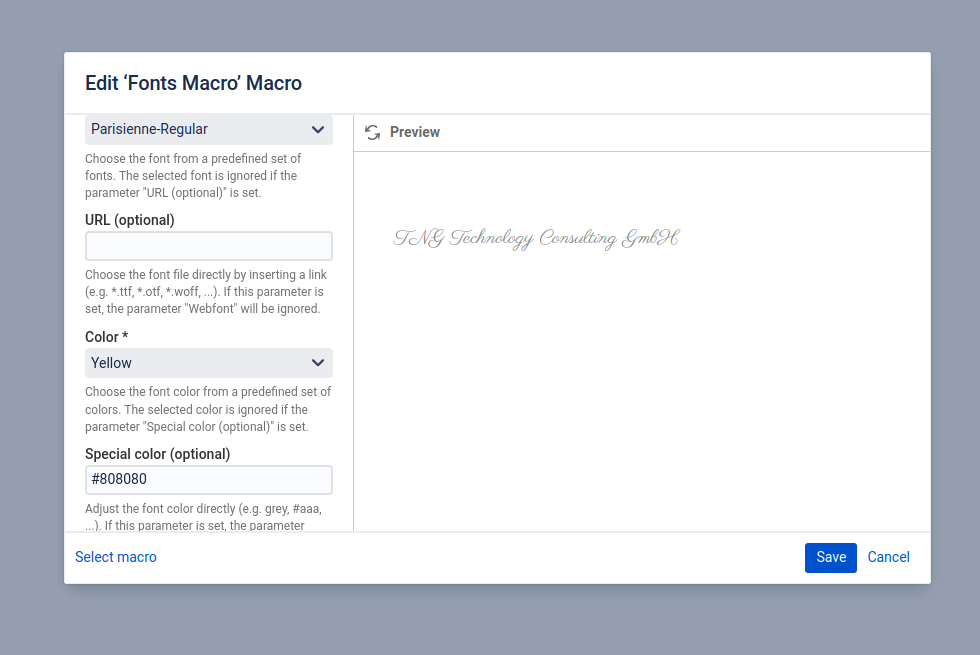
If “Special color(optional)” parameter is set, the parameter “Color” will be ignored.