
You can apply the actions listed in Logic based on the group memberships of participants. The following example focuses on the visibility of a question, but the condition works with other actions equivalently. This means you can, for instance, also disable questions or make them mandatory based on groups.
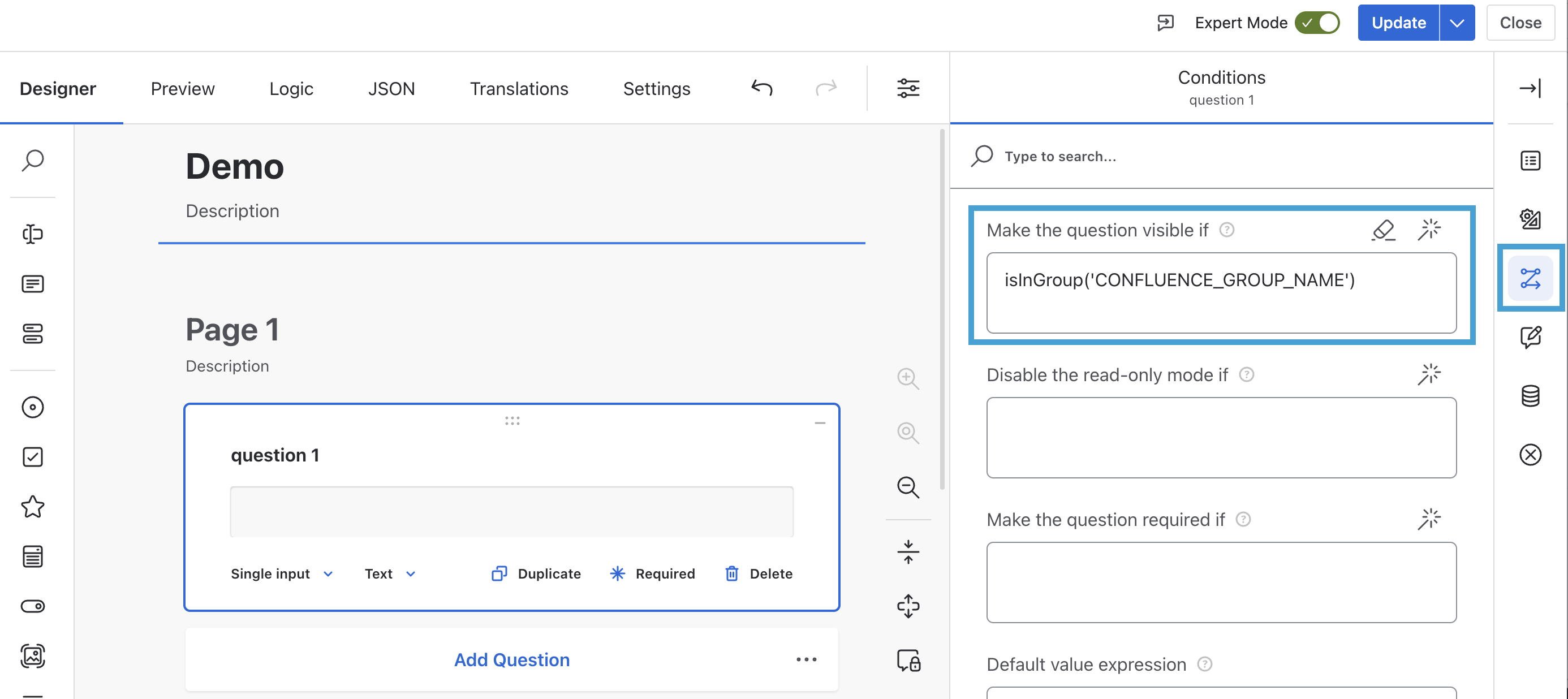
To configure this, you need to toggle the Expert Mode at the top right. Then, from the Designer tab, open Conditions for the question you want to be dependent and input isInGroup('CONFLUENCE_GROUP_NAME').
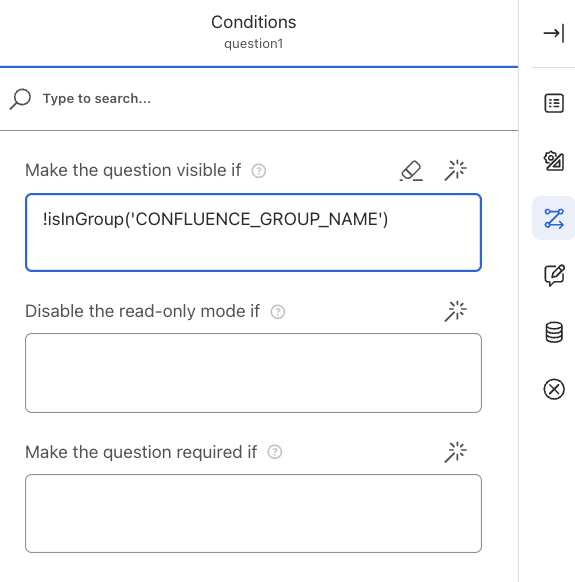
The ! symbol allows you to negate your inInGroup conditions. To show a question only to users who are NOT part of a specific group, you can use !isInGroup('CONFLUENCE_GROUP_NAME').
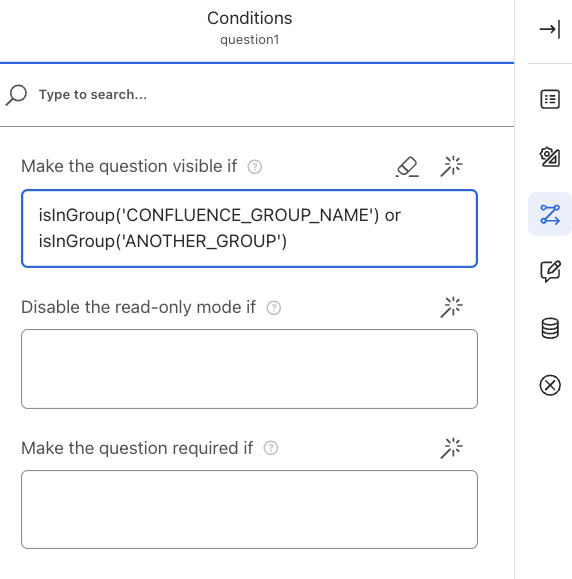
You can combine multiple isInGroup condition with ‘OR' or 'AND’ operators.
Another way to add isInGroup functionality is through the JSON tab. Here, the condition there looks like this.
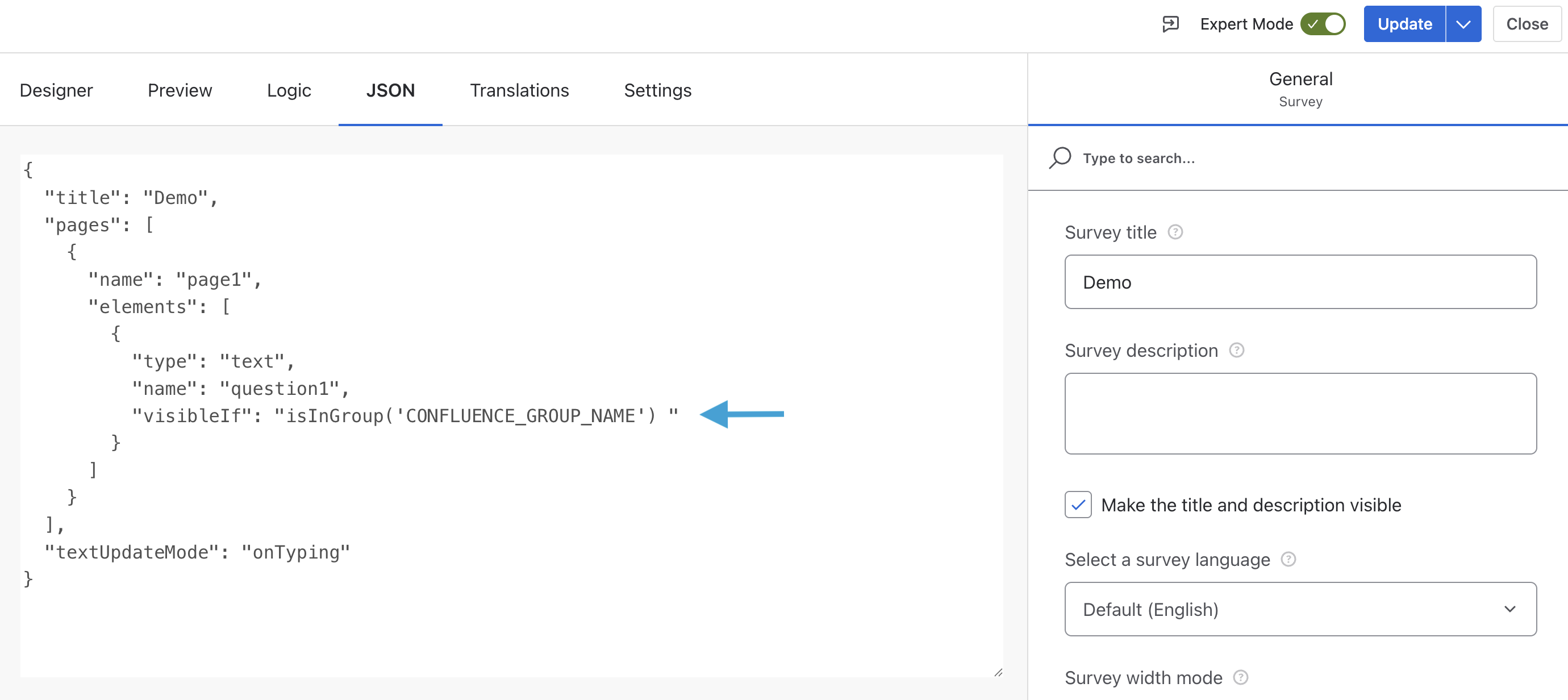
The result of this will be that the question with this condition will only be visible to the group that is written in the condition.
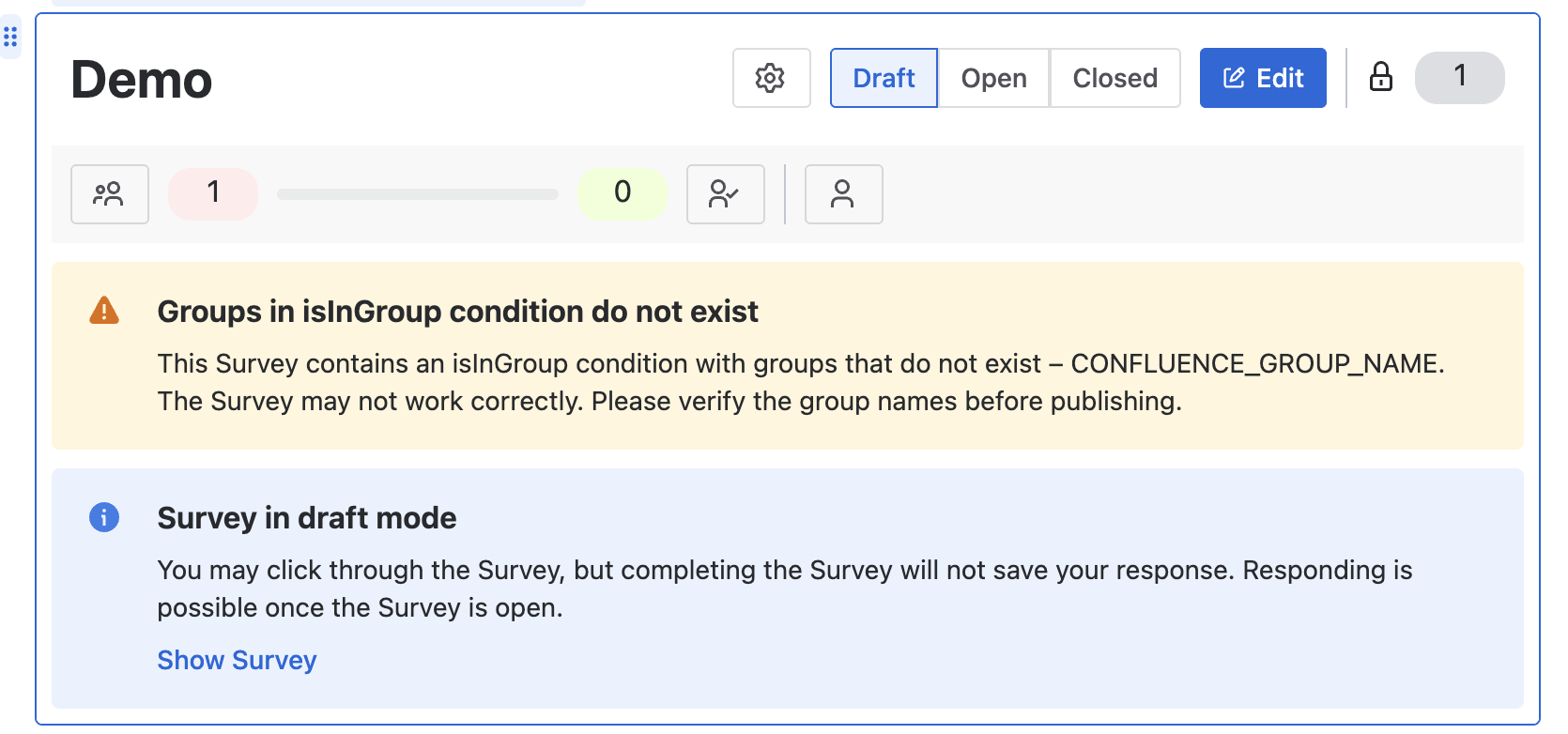
If an invalid group name is entered, a warning message will be displayed while the Survey is still in Draft. Please check and fix the issue before opening the Survey.
In addition, the isInGroup functionality can also be applied to the different options within a question, as well as to an entire page. This can also be configured either through the Designer or the JSON tab.
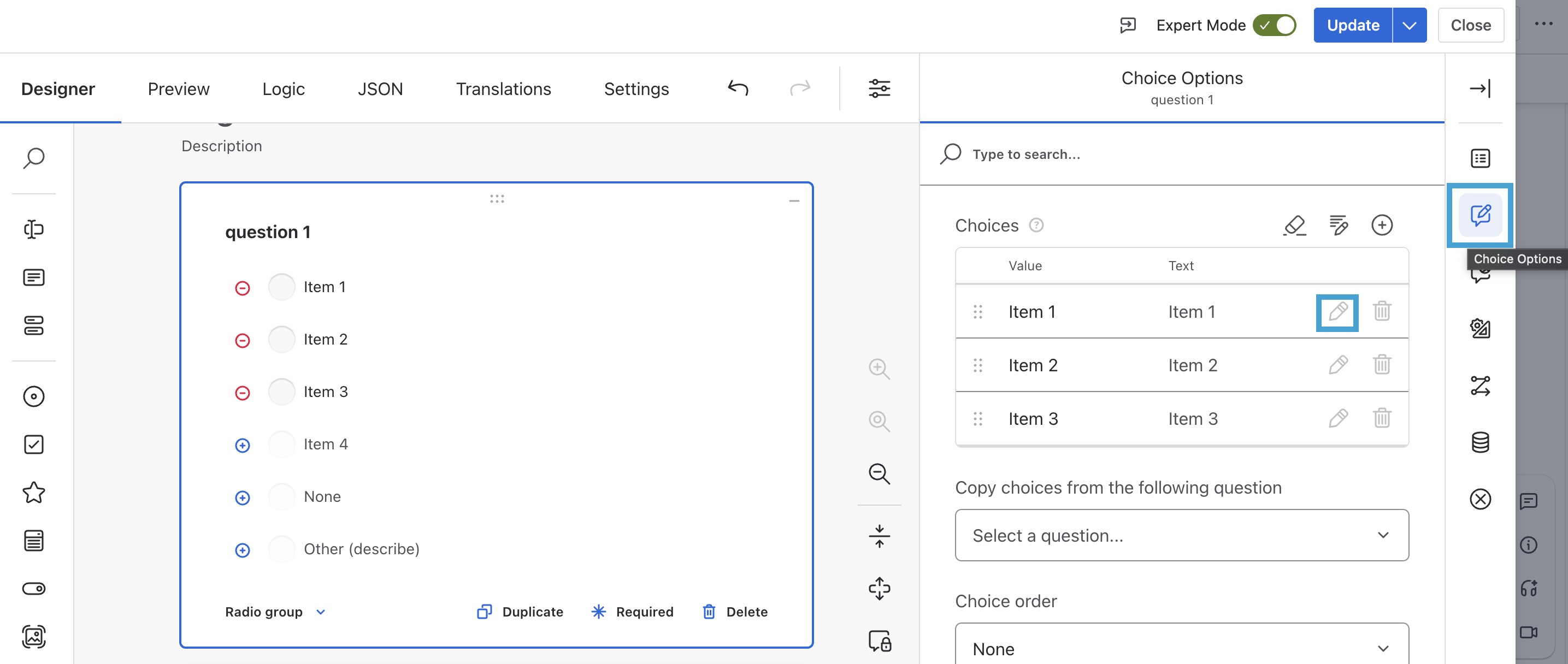
To add a condition for an option, open Choice Options for the chosen question. Then, click on the “pencil” icon on the option which you want to add isInGroup.
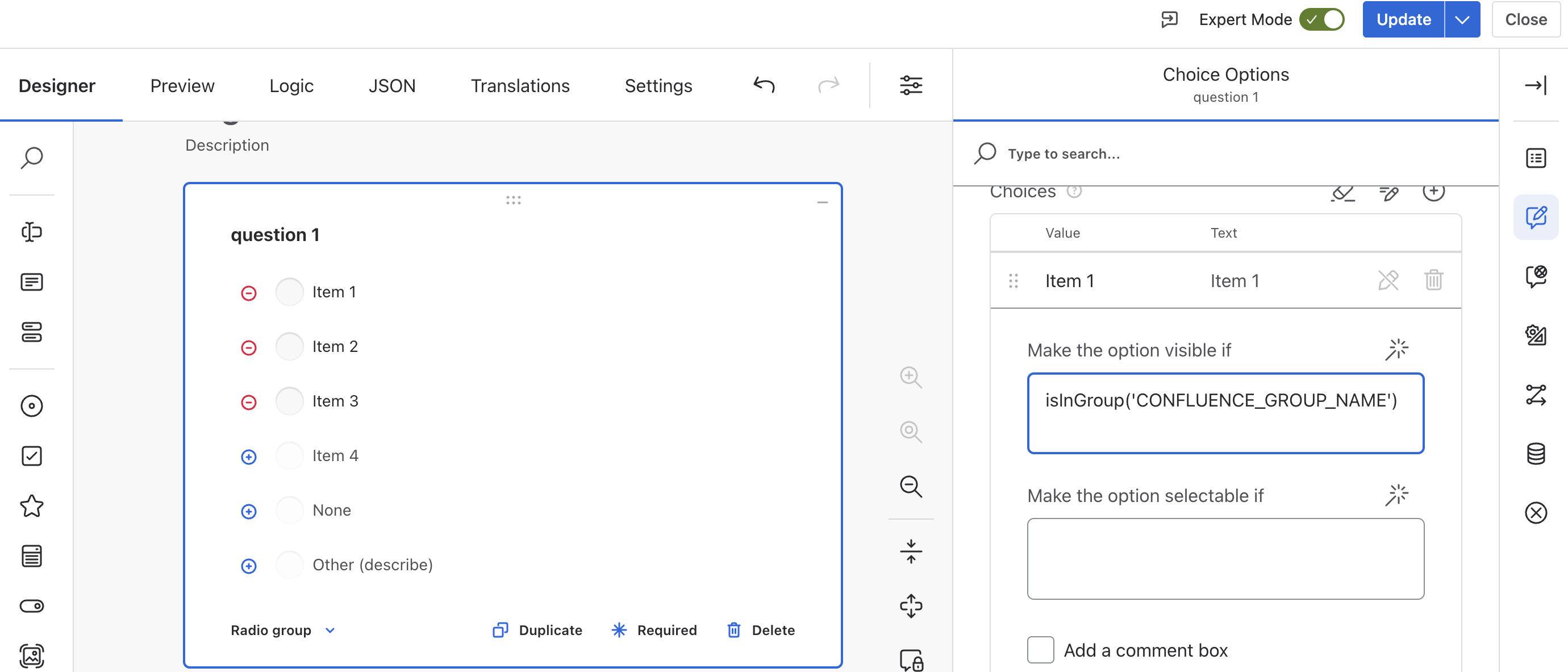
Finally, insert isInGroup('CONFLUENCE_GROUP_NAME') for a condition on the item you want to make group dependent.
For making the entire page dependent on a group, the logic is the same as for a question. Open Conditions for the chosen page and insert the condition.