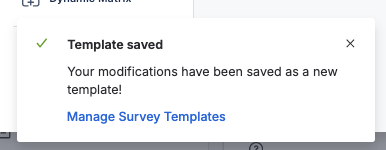
There are two ways to create a new Template:
1. Creation via the Template Manager
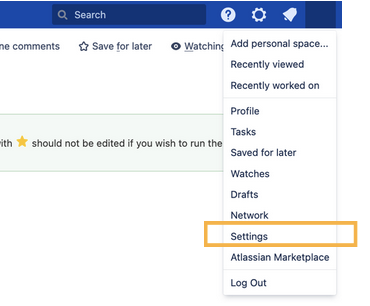
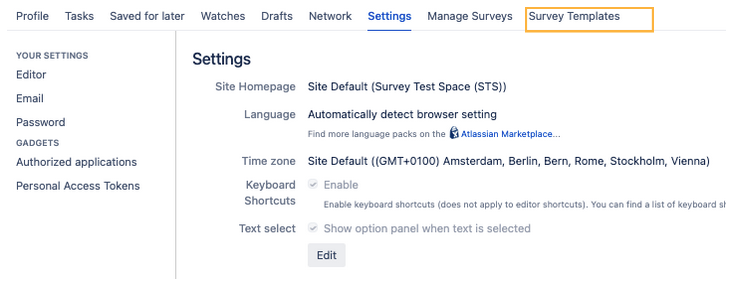
In order to find the overview of all Survey Templates you have access to, first navigate to your User settings
here you will find the tab “Survey Templates”.
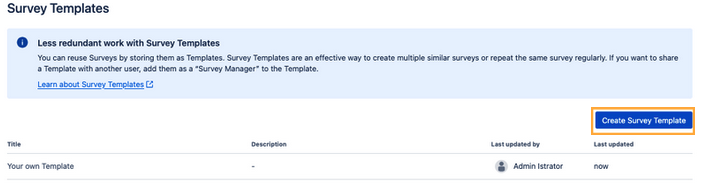
Click on the “Create Survey Template” Button above the overview table.
2. Creation of a new Template from an already existing Survey
Set the Survey that you want to edit as a Template into “Draft Mode”.
Then click on “Edit”.
Click on the dropdown next to the “Update” Button and select the option “Save as Template”
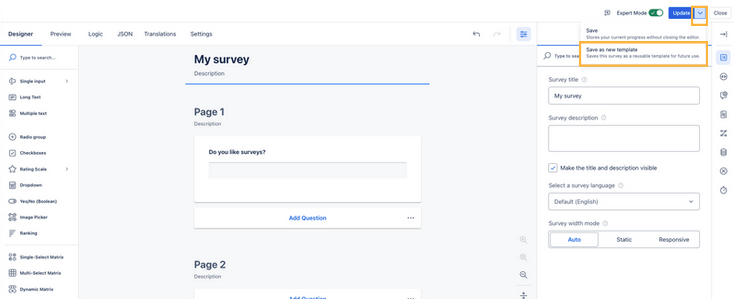
After clicking on “Save as Template”, a flag will appear on the bottom left that the Template has been successfully saved.