
v7.3 v7.2 v7.1 v7.0 v6.12 v6.11 v6.10 v6.7 v6.6 v6.5 v6.4 v6.3 v6.2 v6.1 v6.0 v5.3 v5.2 v5.0 v4.8 v4.6 v4.5 v4.4 v4.3 v4.0 latest <= v3.4 Cloud Data Center

Create a new Multivote

Insert a Multivote

  1. Create a new page or edit an existing page to create a new Multivote.

  2. You can either click the “+” icon in the toolbar or simply type “/” to start a search for macros.

  3. Search for “Multivote” and select the Multivote macro to add it to the page.
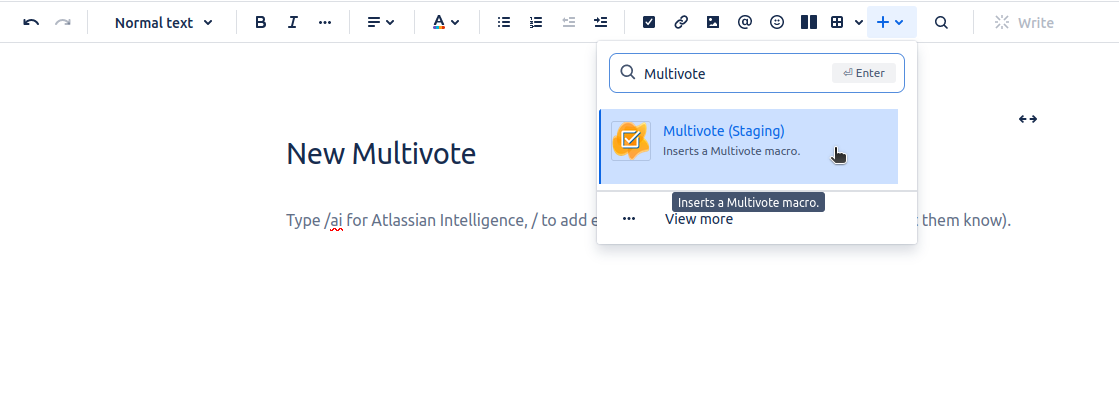
    image-20240606-140858.png
  4. You will now be able to edit your Multivote (cf. Add options to a Multivote)
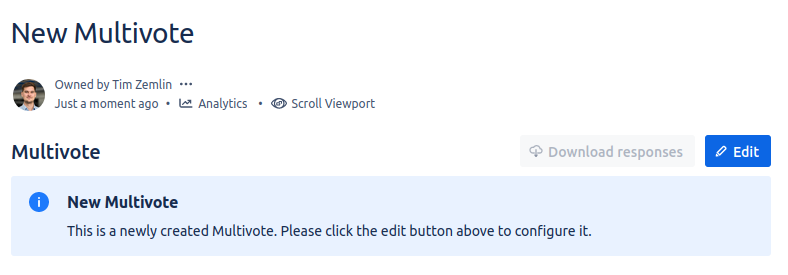
    Screenshot from 2024-04-17 09-34-46.png


  5. Congratulations! 🎉 You have successfully created your first Multivote.